- Contact booking portal and tell that you have us as Channel Manager and want to link.
- Please go to https://extranet.hotel-spider.ch/hotel/#/bookingchannels and select or click on the desired channel. Then it will appear under "Activated Channels"
- Click on the channel and fill in the fields.
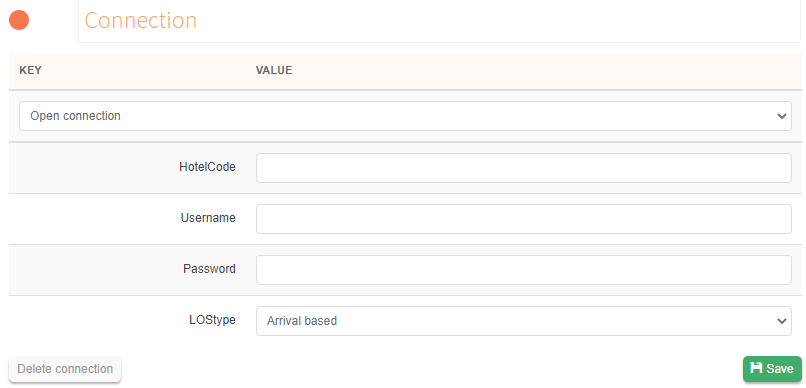 4. You can get this information from the portal
When everything is entered, click Save and the red circle will turn green.
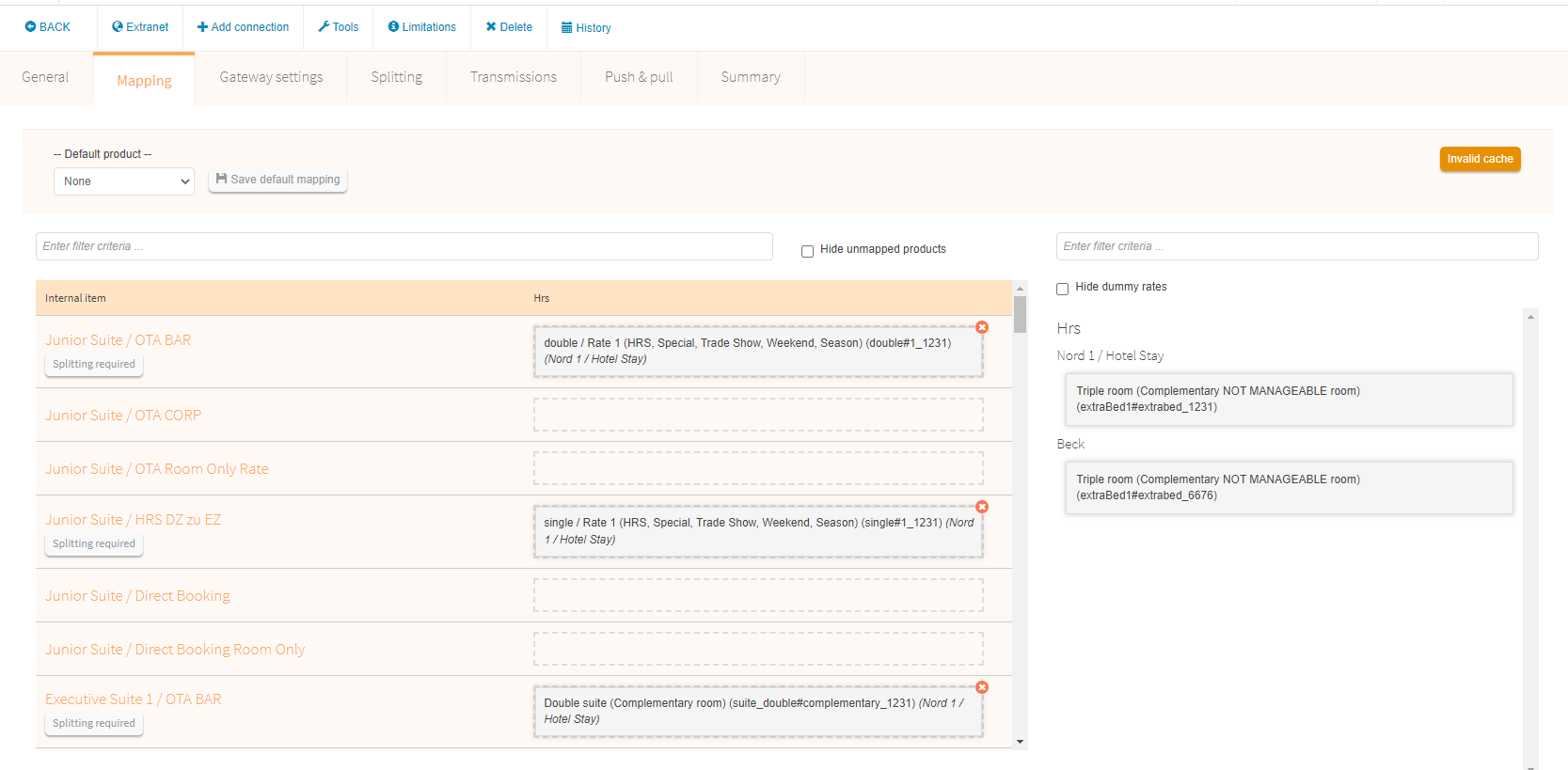
6. Click on Mapping and move the rooms from the right side to the corresponding room in the column and save.
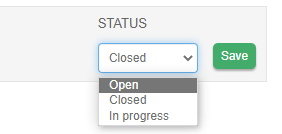
7. Change status from "in progress" to "open" and save
8. Click on "Transfer&Fetch" and then "Transfer all files for 2 years".
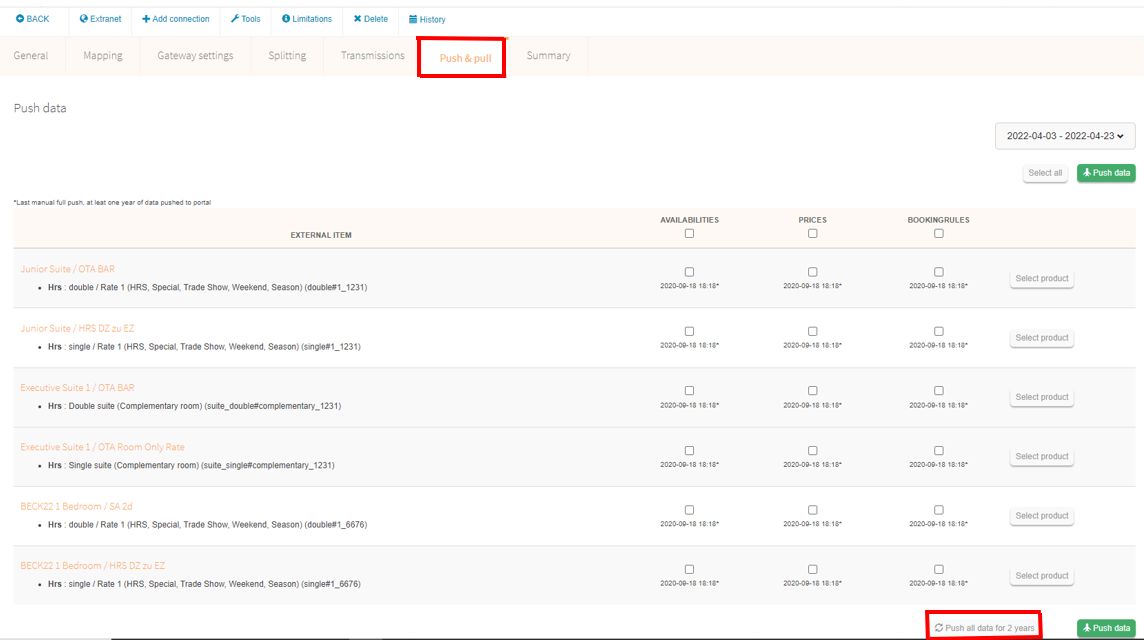
9. Check the availability/prices/booking rules on the portal Extranet.
Comments
0 comments
Please sign in to leave a comment.