Connection steps for MEWS
1) Go to the MEWS main settings - Marketplace:
2) Click NEW for new activation - if the Channel Manager is already defined, click MY SUBSCRIPTIONS.
3) Click on EDIT for HOTEL-SPIDER.
4) Under the Channel Manager, connect rate price lists from MEWS connect the corresponding rate IDs from Hotel-Spider.
5) The same applies to the room ID's and categories in the Hotel-Spider Channel Manager
6) In the general setting, please select all active operations.In order to have a full synchronisation of all data, everything must be dragged up to activate the parameters
Hotel-Spider Connection:
1) Click on INTERFACES in the menu on the left - In the tab on the right, click on PMS.
2) Select MEWS from the list (click on it, to select it, so it appears at the top under activated channels.)
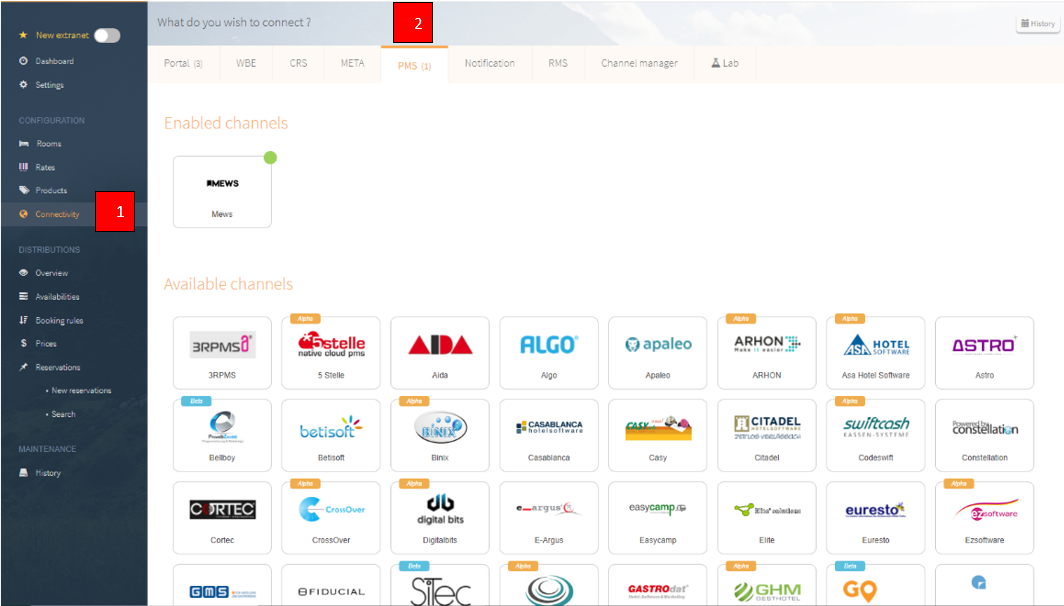
3) Click on the logo to open the further settings.
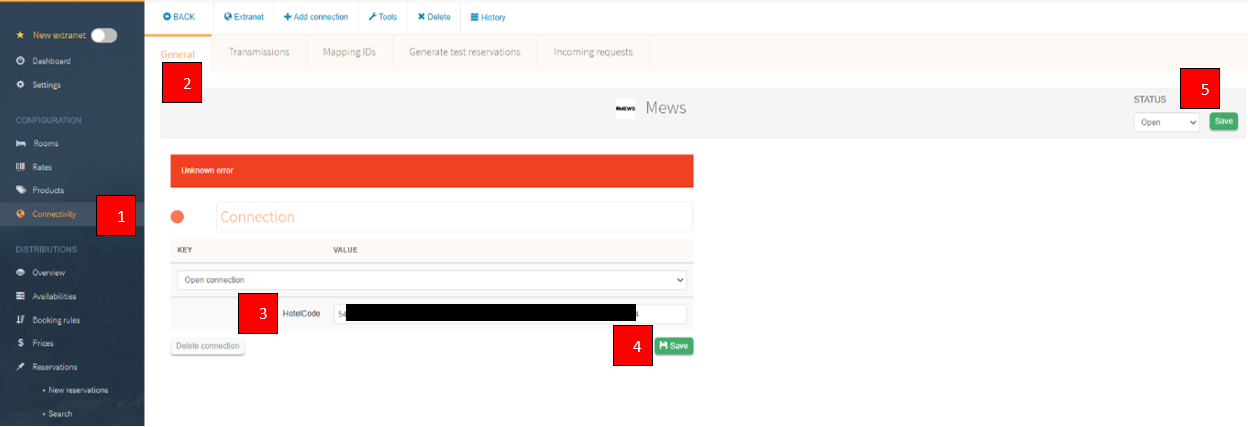
4) Enter your MEWS Hotel Code and save it.
5) Afterwards you can directly set the Status of the connection to OPEN and save it.
You can find your room and rate IDs under the tab Mapping IDs or in the overview of the connectivity status page
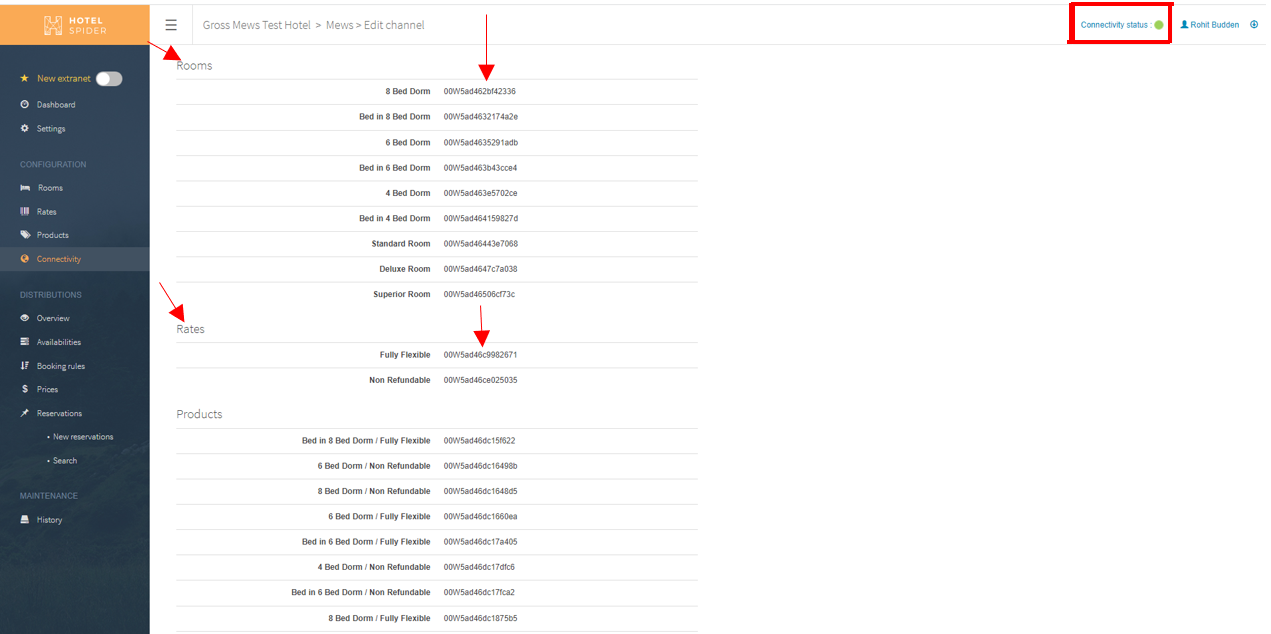
If you connect these IDs in MEWS as described above, it will start a full data push from MEWS to Hotel-Spider so that all availabilities, prices and booking rules are sent or matched.
What data can be exchanged between MEWS and Hotel-Spider?
| Parameter | Status |
| Prices | Can be connected in unlimited number. MEWS sends prices depending on occupancy. This setting can be disabled. |
| Booking rules | Minimum and maximum length of stay based on arrival day "Master"= the closing of the rate at the rate level These settings can be disabled. The booking rules are sent to Hotel-Spider on product level |
| Import booking NEW |
yes |
| Import booking CANCELLED |
yes |
| Import booking CHANGED |
yes |
Comments
0 comments
Please sign in to leave a comment.