(If you work with a hotel management system, please do not change prices in Hotel-Spider.)
Please open the Extranet of Hotel-Spider and go to the tab "Prices".
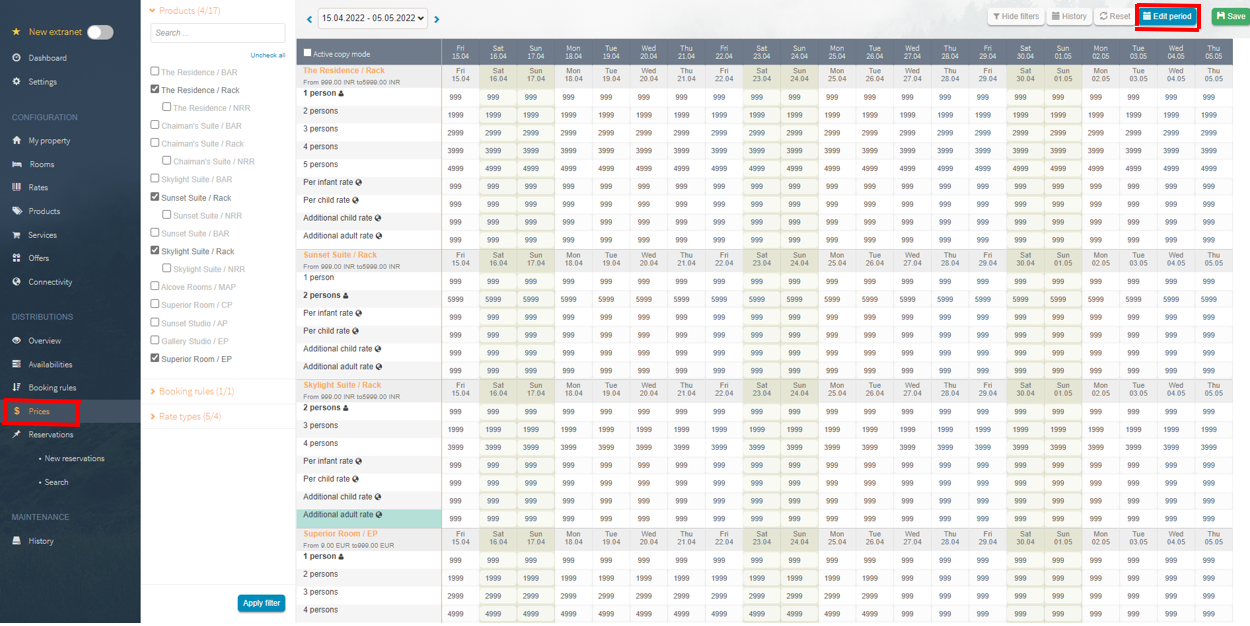
After you have clicked on Prices you will find a blue button in the upper right corner with the inscription "Change period".
Click on it and a new window will open.
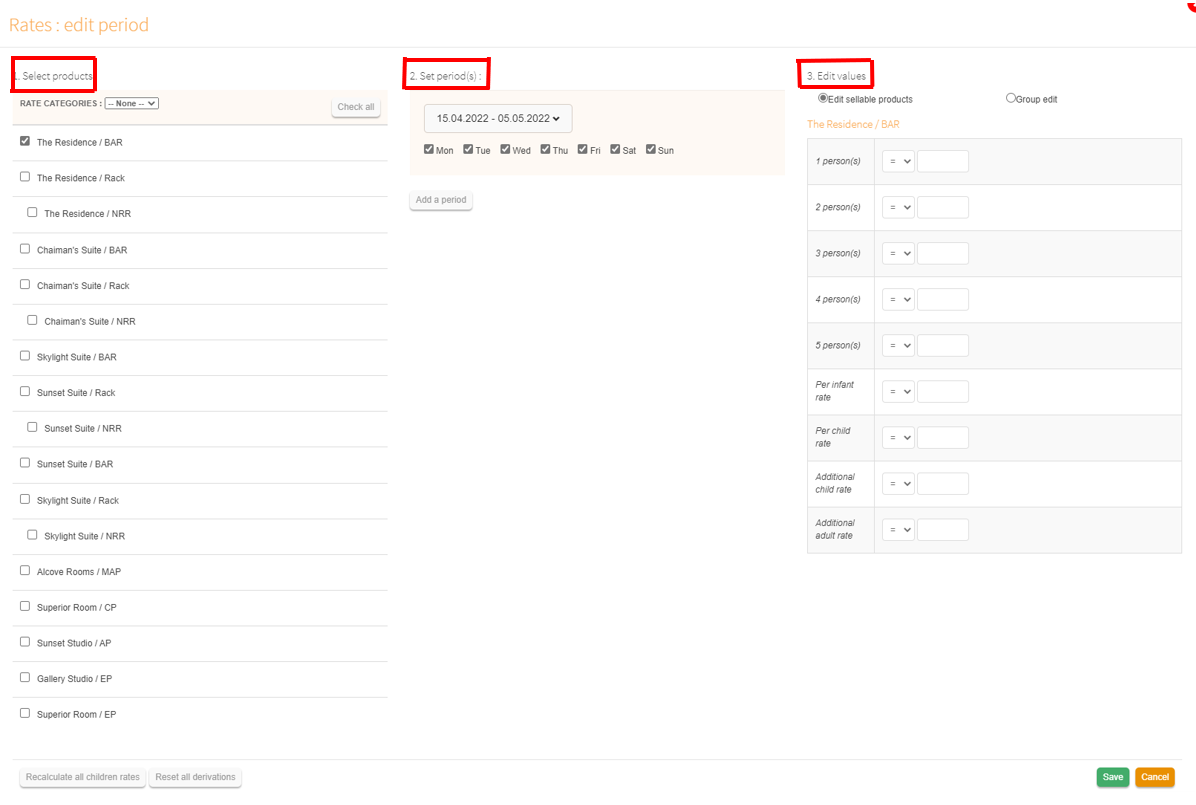
- Select room for you which want to change the prices
- Define time period; you have the possibility to enter the prices up to 2 years in advance
- Now you can enter the new price and then click Save.
Caution: Please make sure that any price change is immediately sent to the portals (if a connection exists) .
Comments
0 comments
Please sign in to leave a comment.