To view the screenshots larger,
please right-click on them and in the menu on "Open image in new tab".
_______________________________________________________________________________
For which booking platforms do the additional prices apply?
Please note that the setting of the additional prices are mostly valid only for
the Spider-Booking 4. Prices for additional persons can not be imported from the portals. You can see exceptions in your price list. To do this, move the mouse over the globe:
Setup:
1. In the "ROOMS" section
In the room settings you specify how many additional persons or children may be booked in a room.
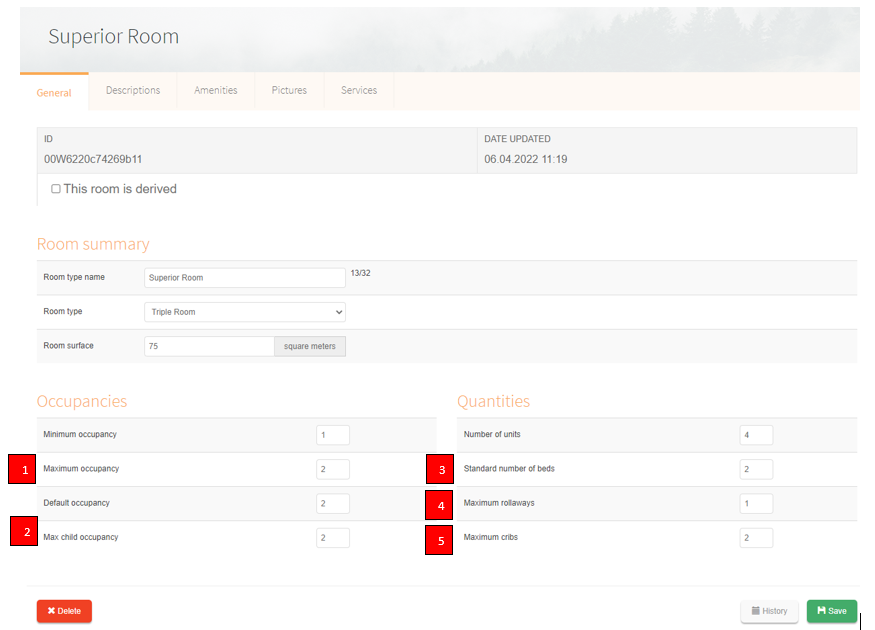 1) Minimum standard and maximum occupancy are for the occupancy dependent prices.
Please note here, the minimum and maximum occupancy are the occupancies of the regular standard bedding. The standard occupancy becomes relevant if you want to connect portals that, for example, can only accept the prices for standard occupancy.
2) Max. children occupancy refers to the children that can be booked within the maximum occupancy.
Some possibilities:
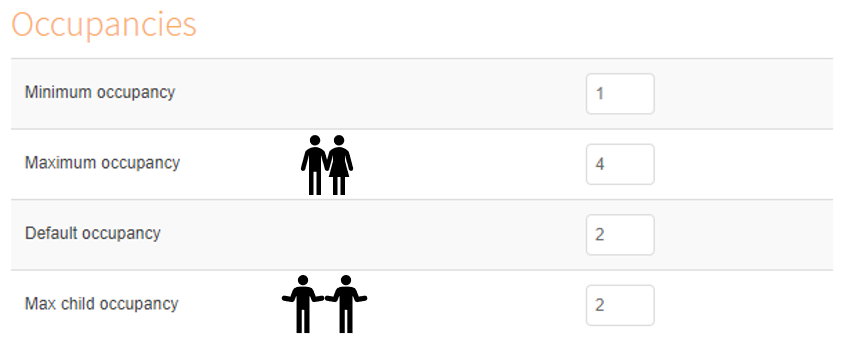
Example maximum occupancy 4 people - 2 adults, 2 children:
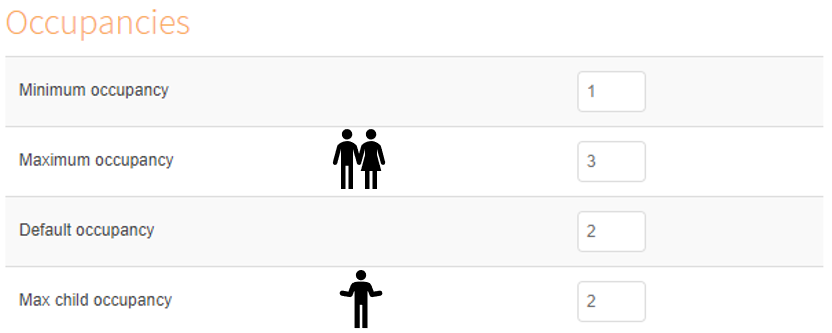
Example maximum occupancy 3 people - 2 adults, 1 child:
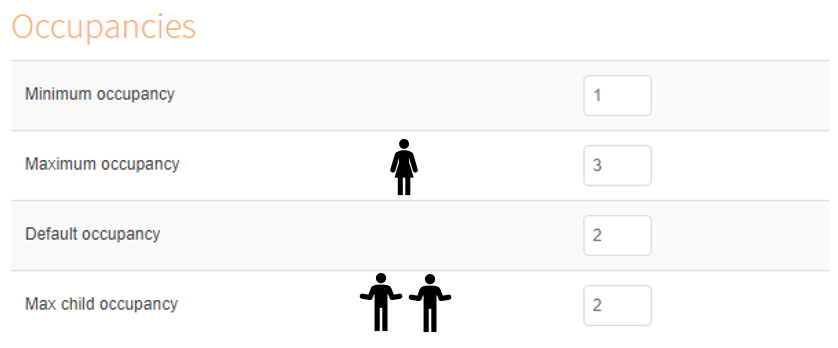
Example maximum occupancy 3 people - 1 adult, 2 children:
However, "Max. children occupancy" also refers to the "Max. number of extra beds".
Means it can be booked at a maximum occupancy of 3 people: 2 adults and 1 child at the occupancy price and another child can be booked via the price "additional child". The same applies to cribs. Once a "Maximum crib" was entered, this can be booked in addition:
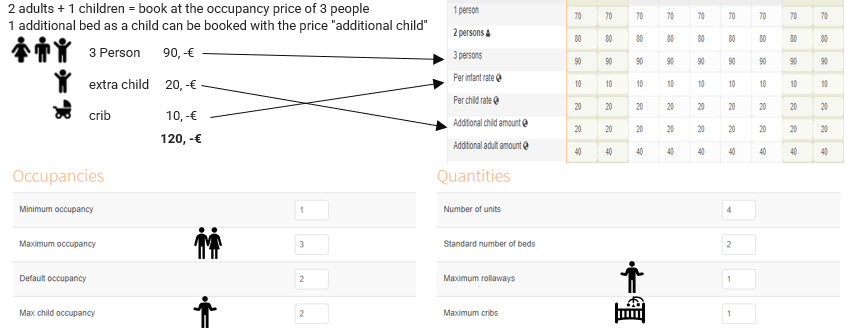
4) Max. number of extra beds refers to extra beds that serve as extra beds. Persons can be booked in addition to the maximum occupancy.
If the maximum occupancy is 3 pers. and the number of extra beds is 1, then the room can be booked for 4 persons.
With the number of extra beds, another adult or child can be added.
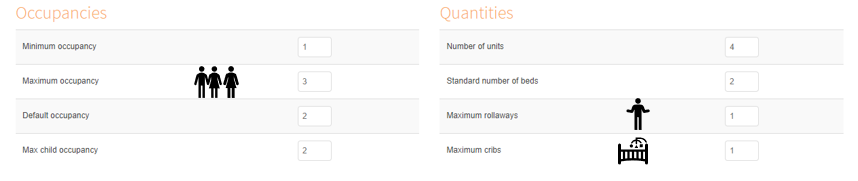
5) Maximum cribs refers to baby cribs booked in addition to the maximum occupancy.
Price management:
1) The occupancy prices are for 1-4 adult persons.
2) Infant prices, one baby booked within maximum occupancy
3) Children prices, calculation of children prices if booked within the maximum occupancy
4) Price of additional infant, a baby crib booked in addition to the maximum occupancy
5) Price of additional child, children booked in addition to maximum occupancy
6) Price of additional adult, persons booked in addition to maximum occupancy
You can decide how many additional babies, children or adults can be booked by selecting the number of beds in the "Rooms" section, see description above.
Comments
0 comments
Please sign in to leave a comment.