Hotel-Spider always implements as many parameters as possible for each interface. For this reason, there are both general and specific booking rules under Booking Rules >> Products.
For HRS the following parameters can and must be controlled via the Channel Manager.
|
Name of HRS - TAG&
|
In English
|
Comments
|
|---|---|---|
| HrsReservationMode | Guaranteed or not | |
| HrsBoardType | HRS Meal Type Hot Deal Rate or Holiday Hotels |
|
| HrsBreakfastType | HRS Meal Type Standard Rate | |
| HrsCancellationDeadlineType | Cancellation conditions | |
| HrsPrepayFeePercent | Advance payment percentage | |
| HrsReservationDeadlineDays | Number of days before arrival that the reservation can be made | |
| HrsCancellationDeadlineDays | Number of days before arrival that the reservation can be canceled | |
| HrsCancellationFeePercent | Percentage to be paid in case of cancellation | The value is limited to 90% for properties in Germany |
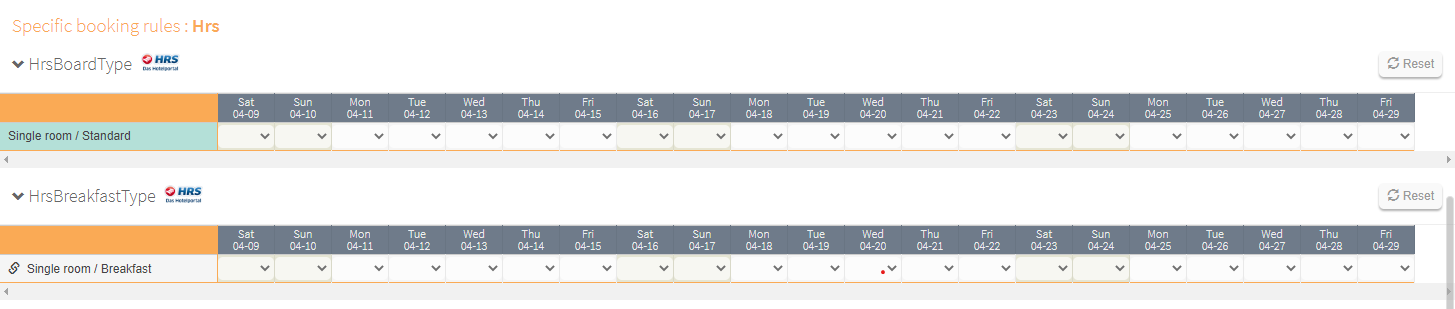
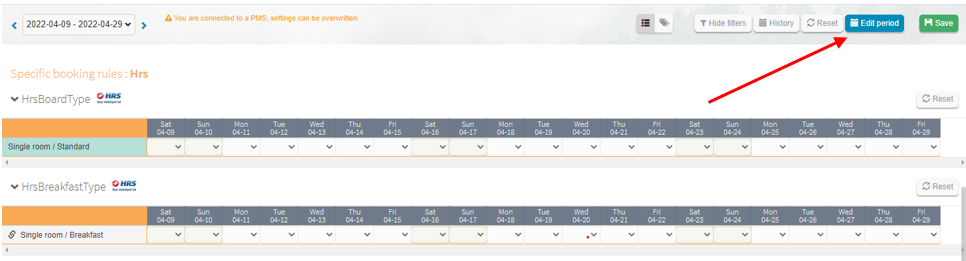
The parameters can be defined on a day-specific basis, either in the table or via the "Change period" window.
Click on "Change period
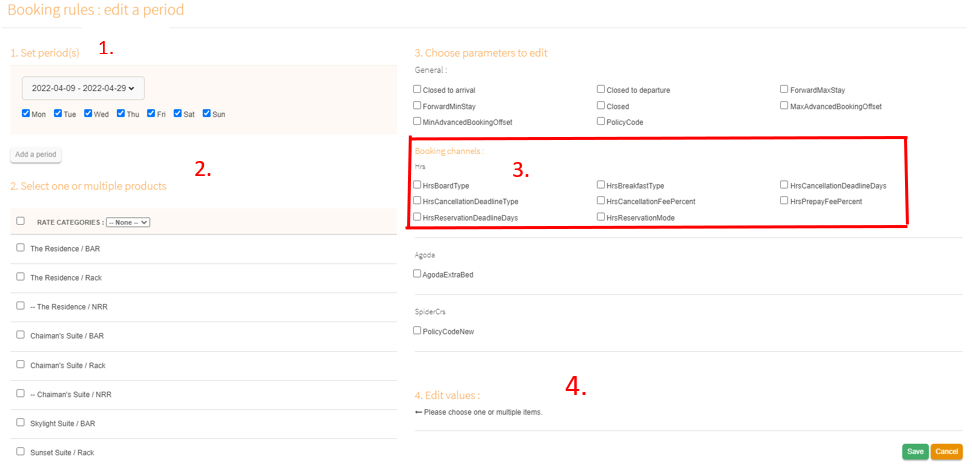
1) Define the time period you want to adapt
2) Select the relevant products. Only the default rooms of HRS can be defined. So only the rooms that appear in the table are relevant.
3) Select the relevant parameters for HRS
4) Define the values you want to have
5) Click on Save
Comments
0 comments
Please sign in to leave a comment.