Services are extras, such as a rental bike, bouquet of flowers or half board, which the guest can book on the Spider-Booking 4 booking engine in addition to their overnight stay.
Creating a service:
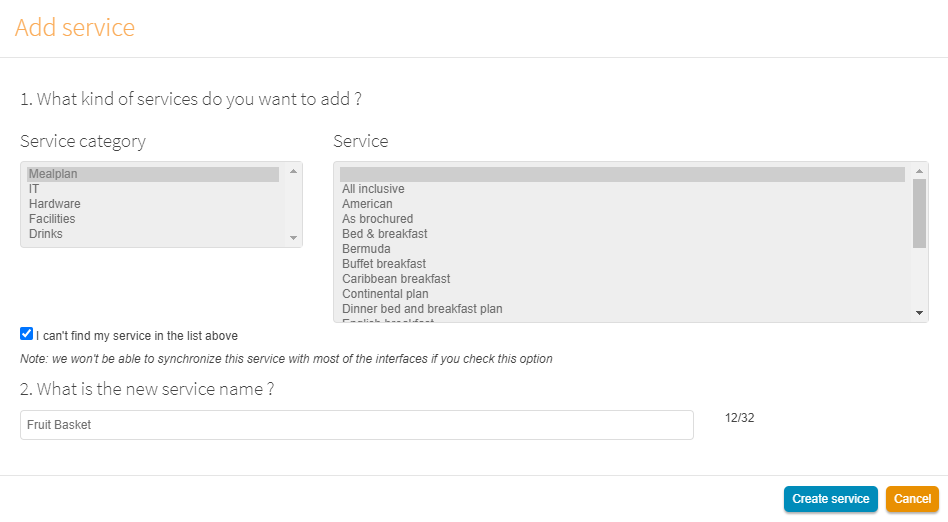
1. In the Hotel-Spider Extranet, go to Configuration >> Services: https://extranet.hotel-spider.ch/hotel/#/services and click on the button 'Add service'.
2. In the window that opens, either select one of the predefined services in the list, or check the box 'I can't find my service at the top of the list' and enter a free name. Then click on 'Create service'.
Editing a service:
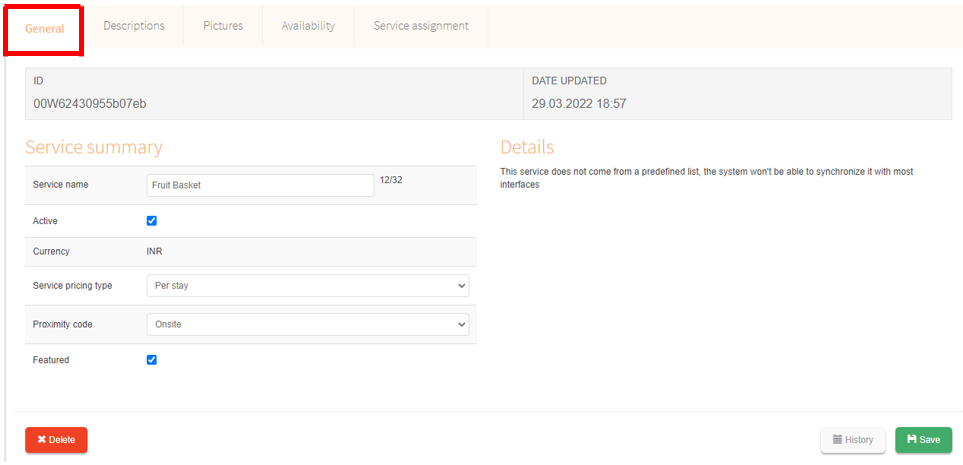
Click the service under Configuration >> Services to make detailed settings:
In the "General" tab:
- Make sure that the service is activated
- Select under 'Price type of service' whether the service should be charged per person, per stay, per night, per person and night or per usage
- Under 'Proximity code', specify whether the service is to be performed on-site during the stay or off-site, i.e. externally.
- Check 'Featured' (new) if you want to highlight a service prominently on the WBE in 1st place
In the "Descriptions" tab:
- Define the name of the service in all activated languages. This name will appear later in the booking engine.
- Enter a descriptive detail text (= optional). This will also be displayed in the booking engine.
In the "Pictures" tab, photos of the service can be uploaded (= optional)
In the "Availability" tab, you can enable bookability for specific periods (= optional). If you do not make a selection here, the service is automatically bookable at any time.
In the "Service assignment" tab, select the level at which the service is bookable
- Accommodation: means that the service can be added in all rooms and rates.
- Guest room: means that the service can be added only in certain categories.
- Rates: means that the service can be added only in certain types of rates.
- Product: means that the service can only be booked with certain room/rate constellations,
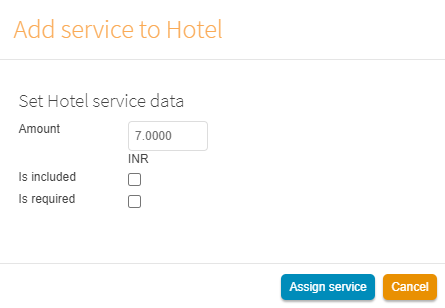
Amount: Here you enter the price of the service (Attention: for prices with decimal places please work only with point (.) and not with comma (,).
Is included: check the box if the service is already included in the room rate (without further surcharge).
Is required: activate for services that must be booked and are not deselectable (e.g. the final cleaning fee in apartments).
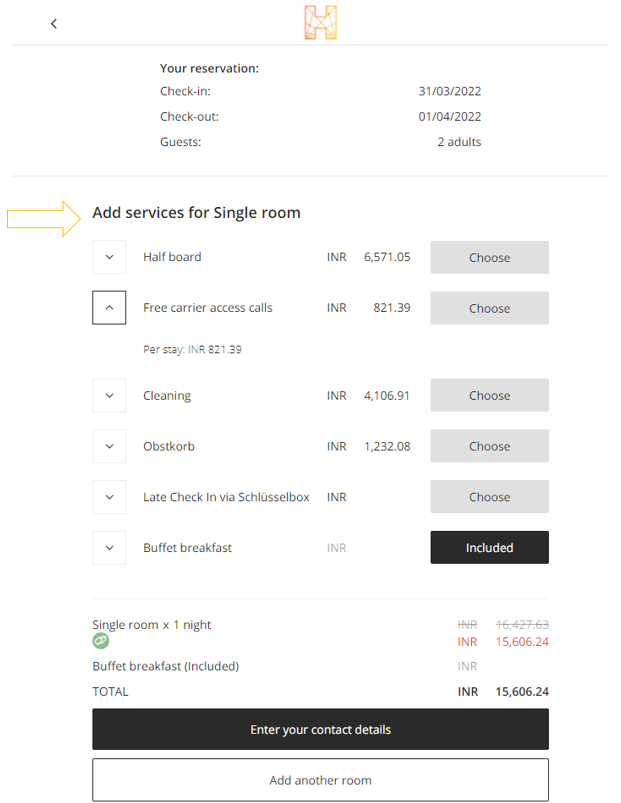
Display in the booking engine:
In the booking process, the option to select services appears in the 2nd step
Comments
0 comments
Please sign in to leave a comment.