Cancellation conditions must be defined in 2 steps for Spider-Booking.
1) Create cancellation conditions:
Under "My Accommodation" you will find the subpage 'Cancellation Conditions', here you can adjust the existing conditions, or add new ones.
https://extranet.hotel-spider.ch/hotel/#/hotel
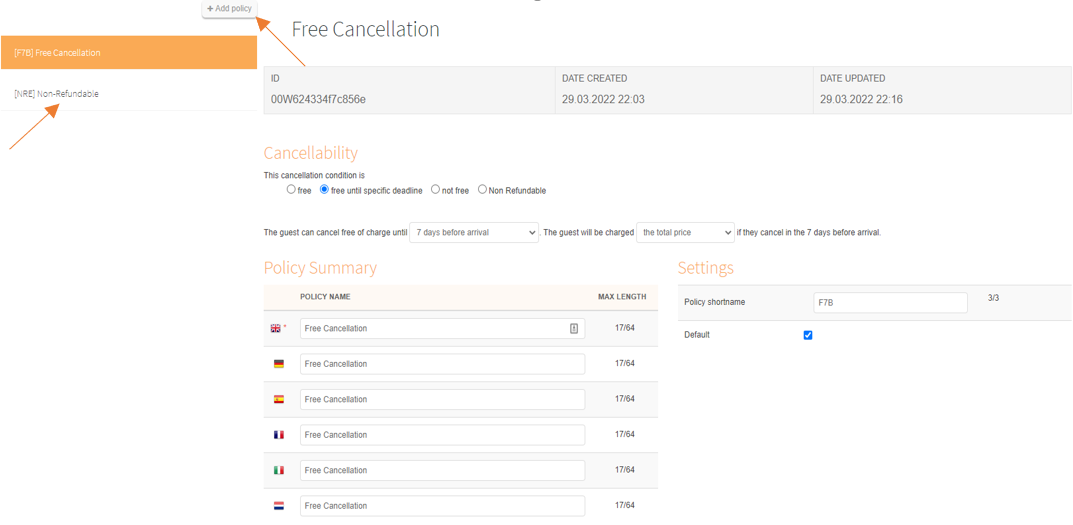
Add cancellation conditions:
Change cancellation conditions:
2) Define which conditions apply to which product:
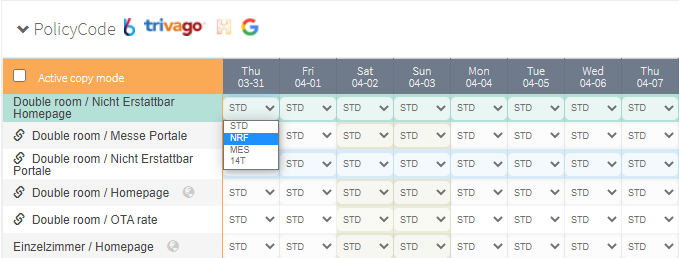
Under the Booking rules >> Products, at the 'Cancellation conditions' parameter, it is possible to define when which deadlines apply.
https://extranet.hotel-spider.ch/hotel/#/bookingrules/sellableproducts
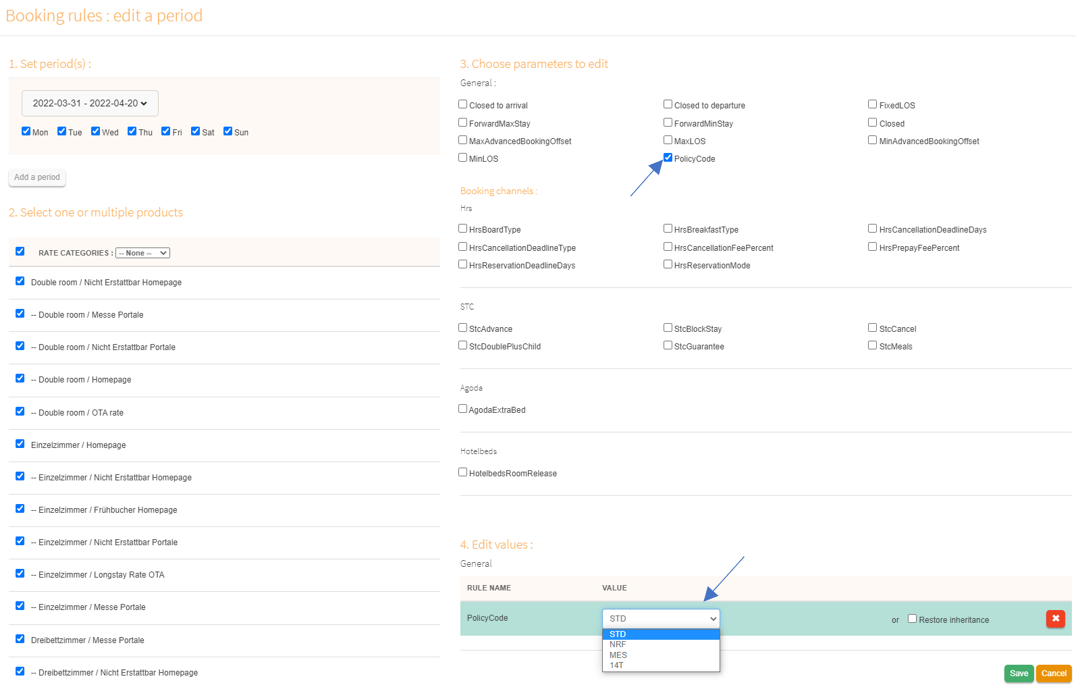
These can also be adjusted for longer or multiple periods using the "Change Period" tool:
Comments
0 comments
Please sign in to leave a comment.