To track when and by which user changes have been made in the Hotel-Spider Extranet, you can use our 'History' tool. This is available in the price, availability and booking rules calendar.
1. Click the "History" button in the upper right corner of the relevant calendar view

2. A new window will open. Select the period and the product for which you want to see the latest changes and start the search:
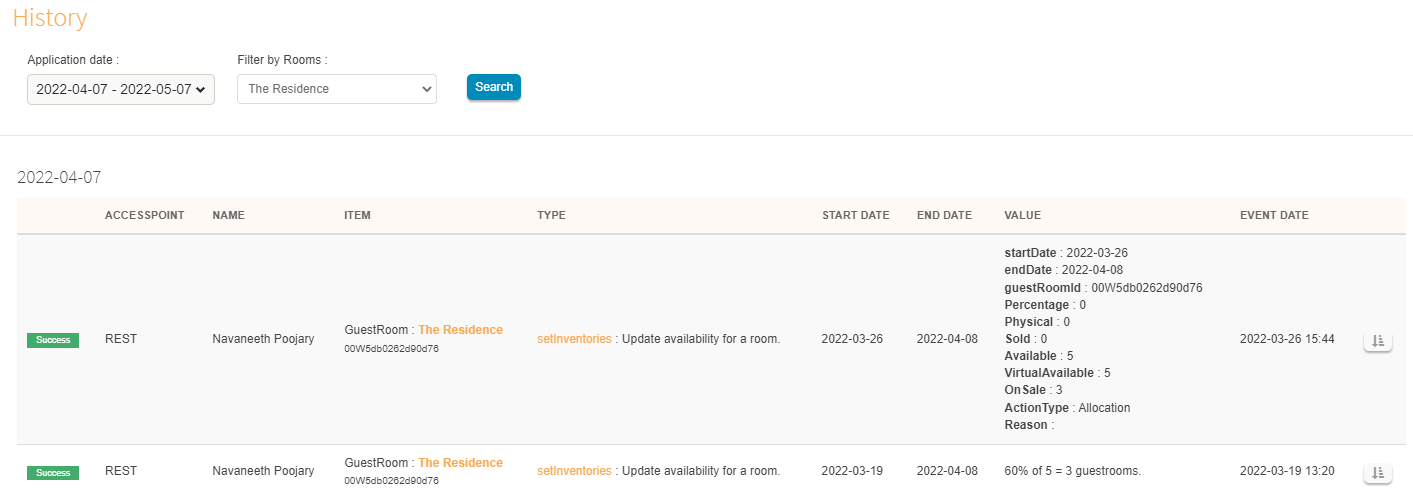
3. You will get a list of all changes that have taken place so far, sorted by days:
- The 'Name' column shows whether the change was triggered by a hotel employee (Extranet user) or by the PMS.
- Start and end dates show the period for which the adjustment was made
- The 'Value' shows the availability, rate or booking rule that was newly entered on the 'Event Date'.
Comments
0 comments
Please sign in to leave a comment.