Without username:
If you do not have a user account for your Hotel-Spider Extranet, please contact our support so that we can create one for you.
Please provide us with the name and email address for this purpose.
The user name is automatically created by the system and always results from the stored first and last name.
First login and password reset:
To the entered e-mail address you will receive an email with a link from our system. When you click on it, a new window will open automatically in your default browser.
Please note that a clicked link will always open in your default browser.
If this is Microsoft Explorer or Microsoft Edge
, please copy the URL or link from the email and paste it into Mozilla Firefox
or ideally Google Chrome
.
Please also make sure that you do not have an AdBlocker active in your browser. This blocks the password assignment and the general display of our system.
Please therefore in the future always open our system in Google Chrome or Mozilla Firefox.
Password reset:
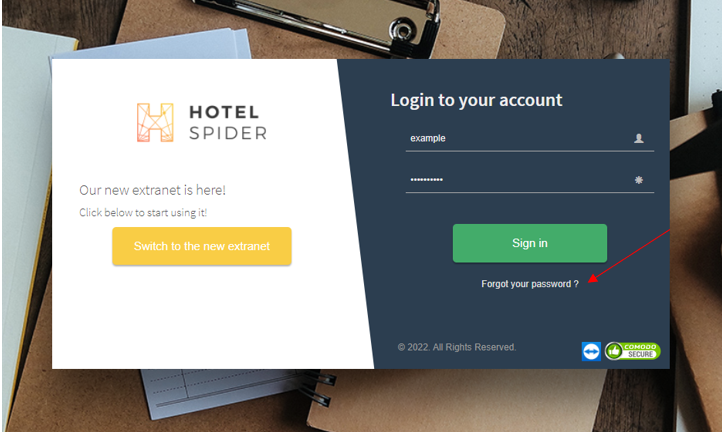
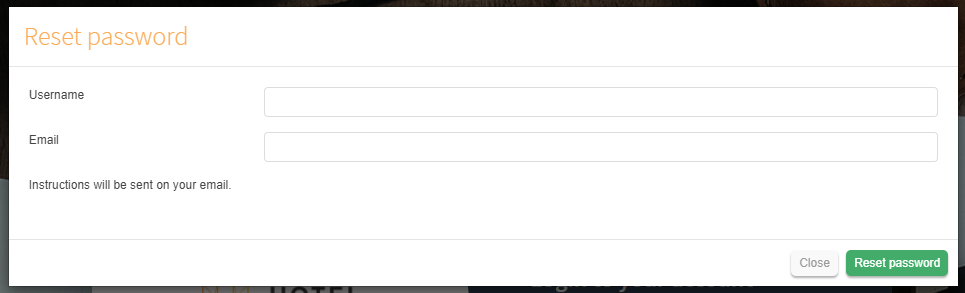
Enter the user name and email address:
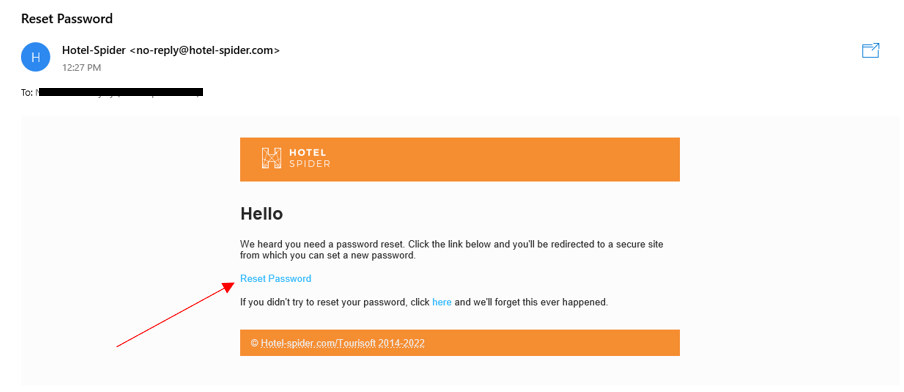
Open link from the received email:
If you have entered the password in Explorer or Edge, it was unfortunately not saved, the login does not work.
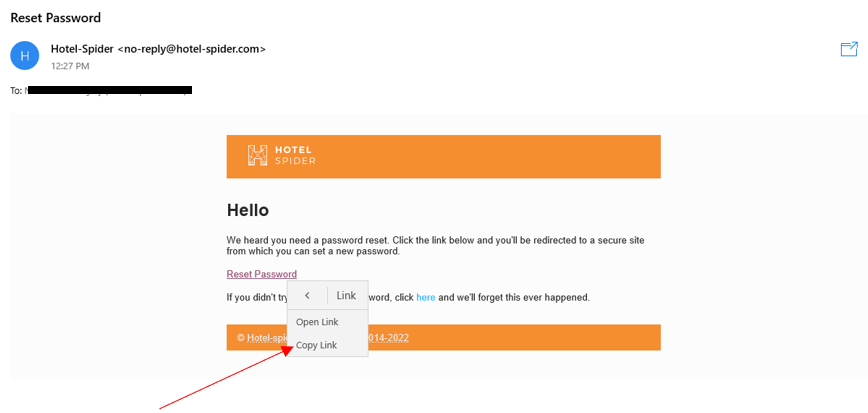
You can also copy the link directly from the email and open it in the optimized browser (e.g. Google Chrome).
Click with the right mouse button on the link "Reset Password", in the new submenu click on Copy address of the link.
Once you have clicked on the link, you will find the URL at the top of the browser:
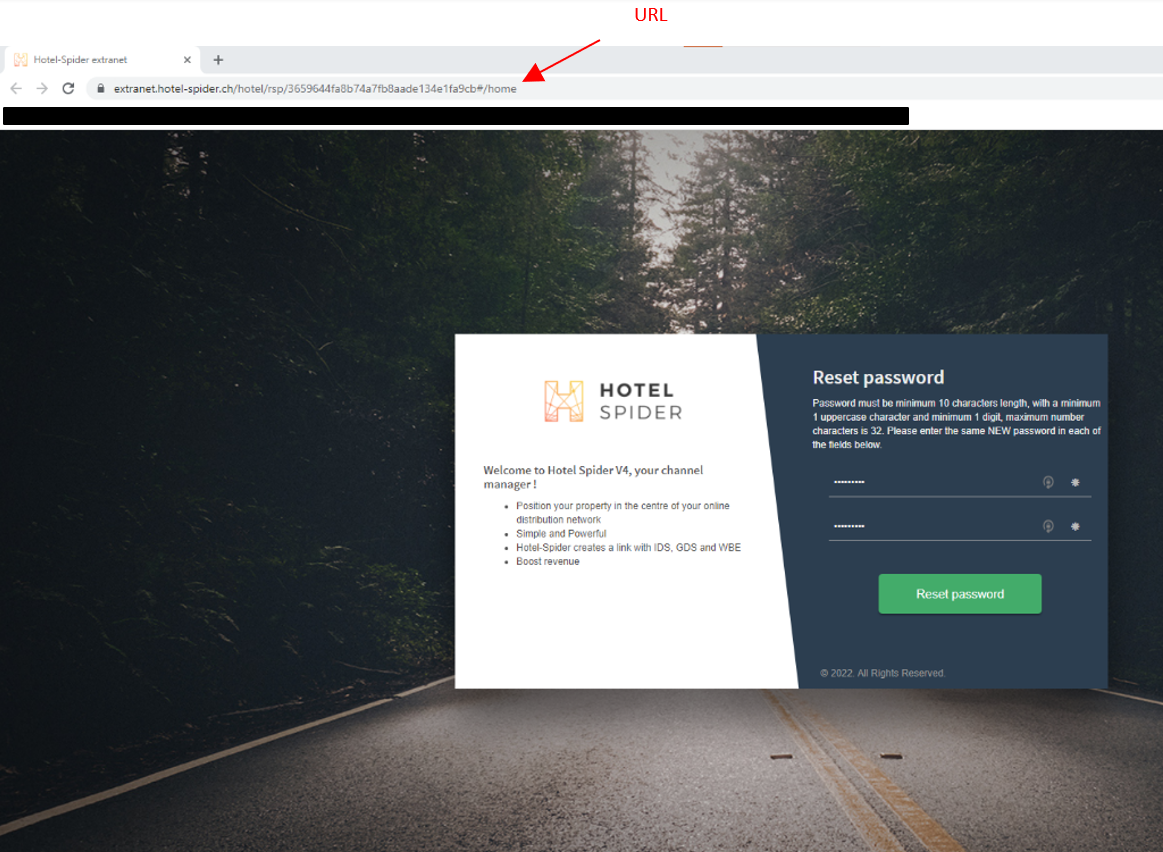
Enter the new password twice in succession.
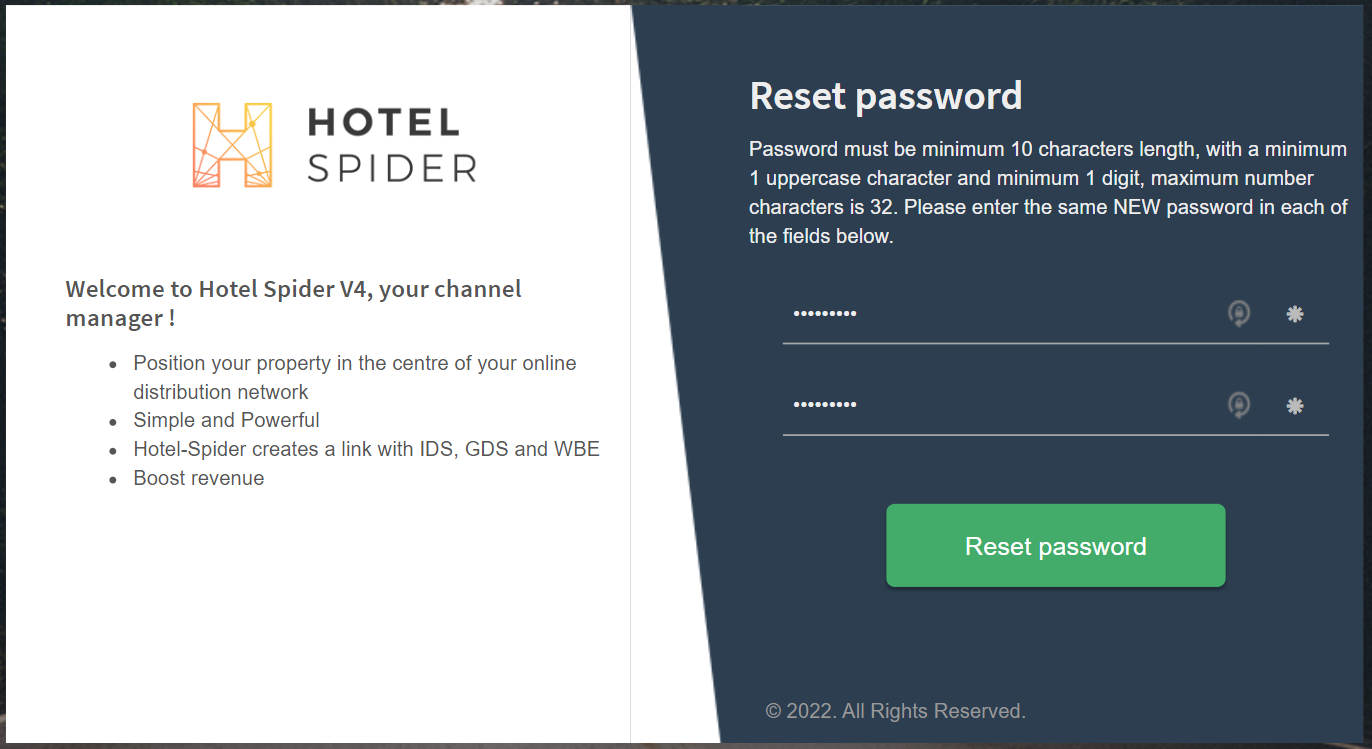
You will then be redirected back to the login window, where you will again enter the username and the new password.
Please make sure, if you save the passwords in the browser, that you delete the old password the first time and enter the new one manually.
General information:
- The passwords are always valid for three months.
- Currently there are no reminder messages, these will follow with the completion of our new extranet.
- User names can no longer be changed.
Should a user no longer be current, we can delete it gladly and create a new one. - You have the option to create multiple users even with different rights.
- Should a login attempt fail three times, you have the following options:
- Your user will be locked for 30 minutes, they wait this time
- You assign a new password
- You contact our support to unlock the user again immediately
Comments
0 comments
Please sign in to leave a comment.