You can completely close your account with one click, regardless of whether the availabilities are sent manually or via a hotel program. The availabilities do not have to be changed for this. The setting is sent to all connected portals and booking engines.
Editing
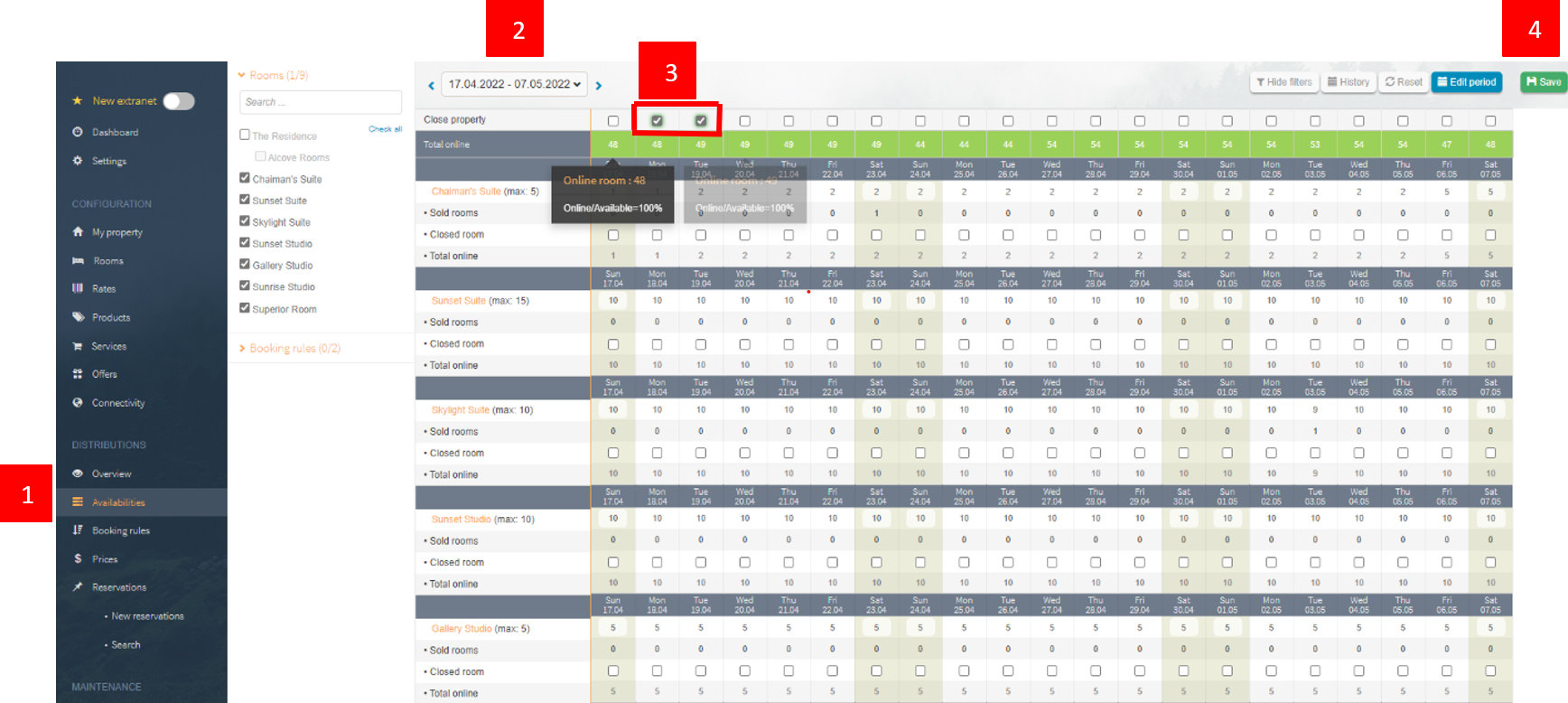
You can edit this, for example, under the availabilities as follows:
- Availabilities
- Select time period
- Set checkmark for closure
- Save .
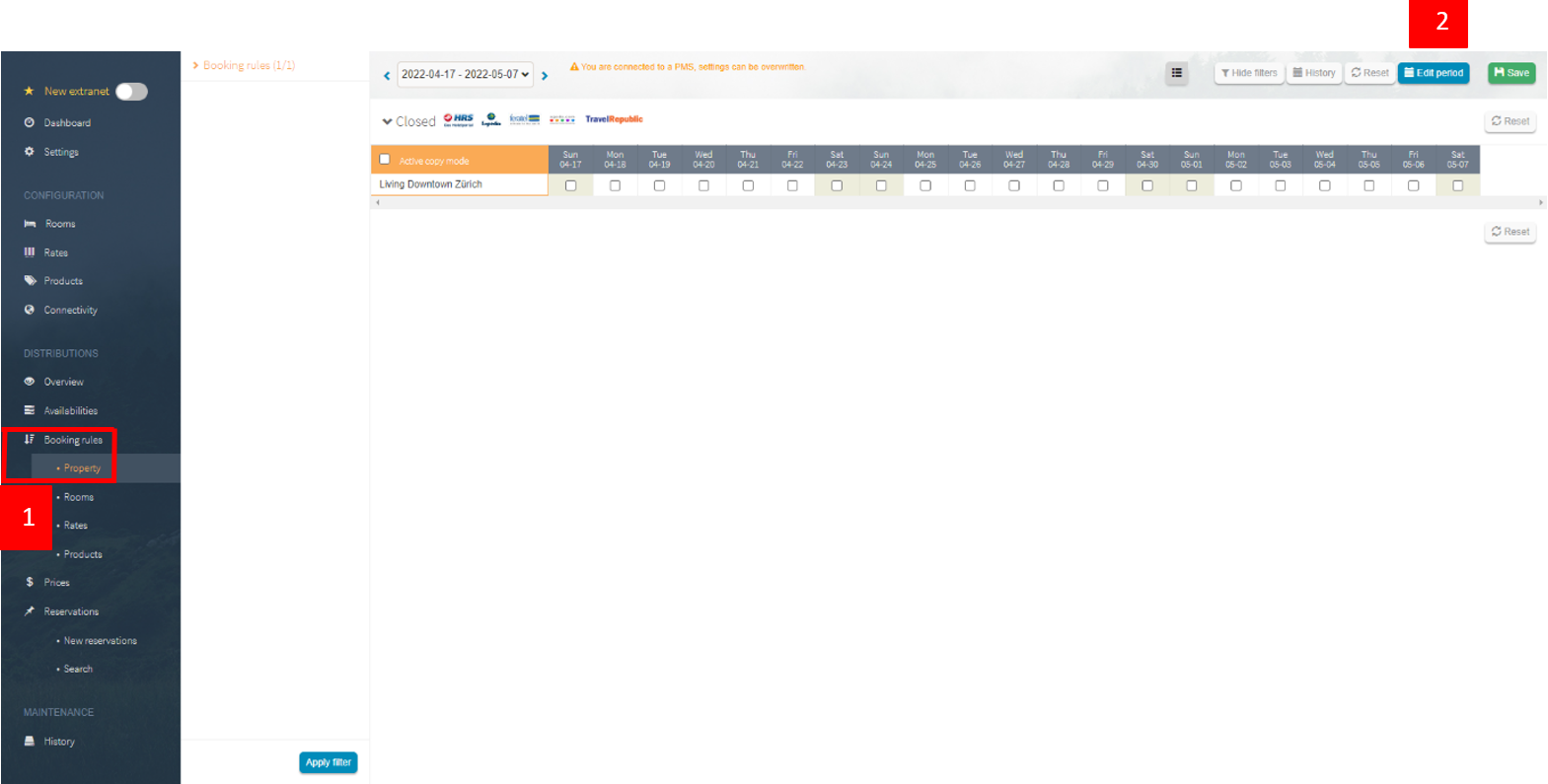
If longer periods should be closed, you can do this under the "Accommodation" level, which is located under the booking rules. If you do not see this, we can unlock the level for you. Click on "Change period" at the top right for quick editing:
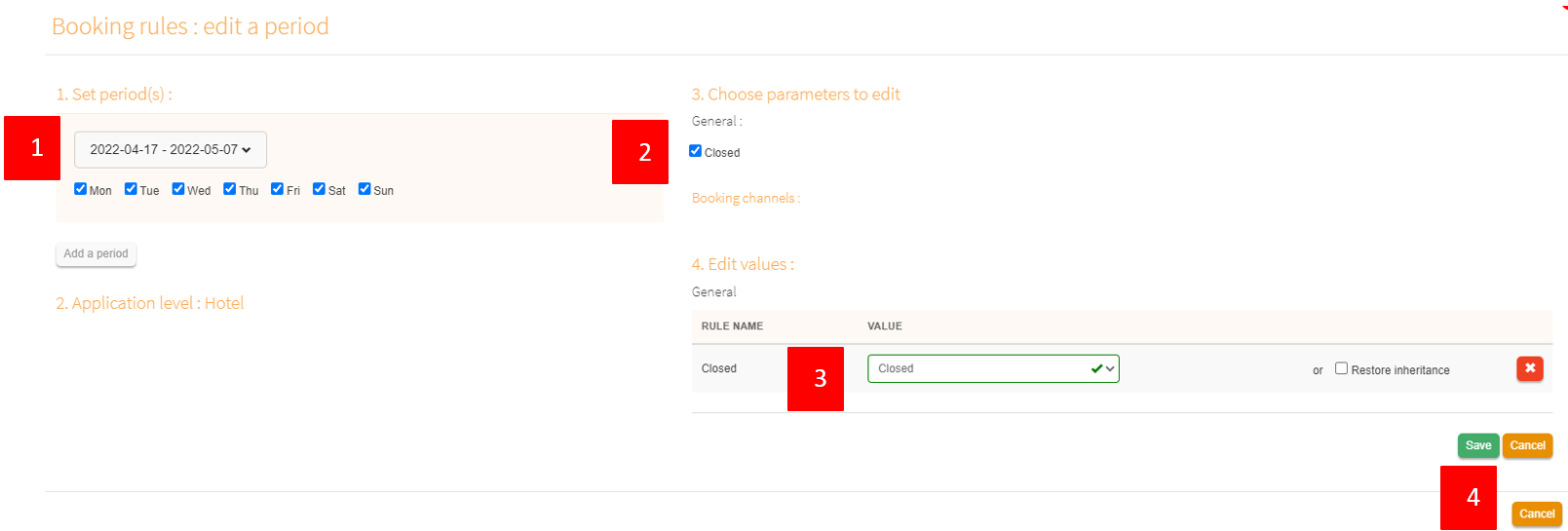
- Enter the time period
- Click the check mark in front of "Open/Block"
- Indicate whether you want to open or block
- Save:
Comments
0 comments
Please sign in to leave a comment.